"Reading about code is like reading about swimming. These hands-on projects are where you actually get in the water."
Learning Objectives
By the end of this module, you will be able to:
- Choose a project that matches what you've learned
- See which concepts each project practices
- Know what you'll build and how to start
How to Use This Module
These are course exercises, not portfolio pieces — build them to practice, break them, and learn. Each is adapted from Microsoft's Web Dev for Beginners. Start with the terrarium and work down as your skills grow.
The projects are ordered by difficulty and by how many concepts they combine, so each one builds naturally on the last. Don't just copy the code — type it out, run it, deliberately break a line to see what happens, then fix it. That cycle of build, break, and fix is where real understanding forms, far more than reading ever could. Expect to get stuck; getting unstuck is the skill you're actually practising here.
🌱 Terrarium (HTML + CSS + DOM)
Goal: Build a draggable digital terrarium. Concepts practiced: semantic HTML, CSS layout, DOM manipulation, closures, drag events. What you build: a styled page with plants you can drag around.
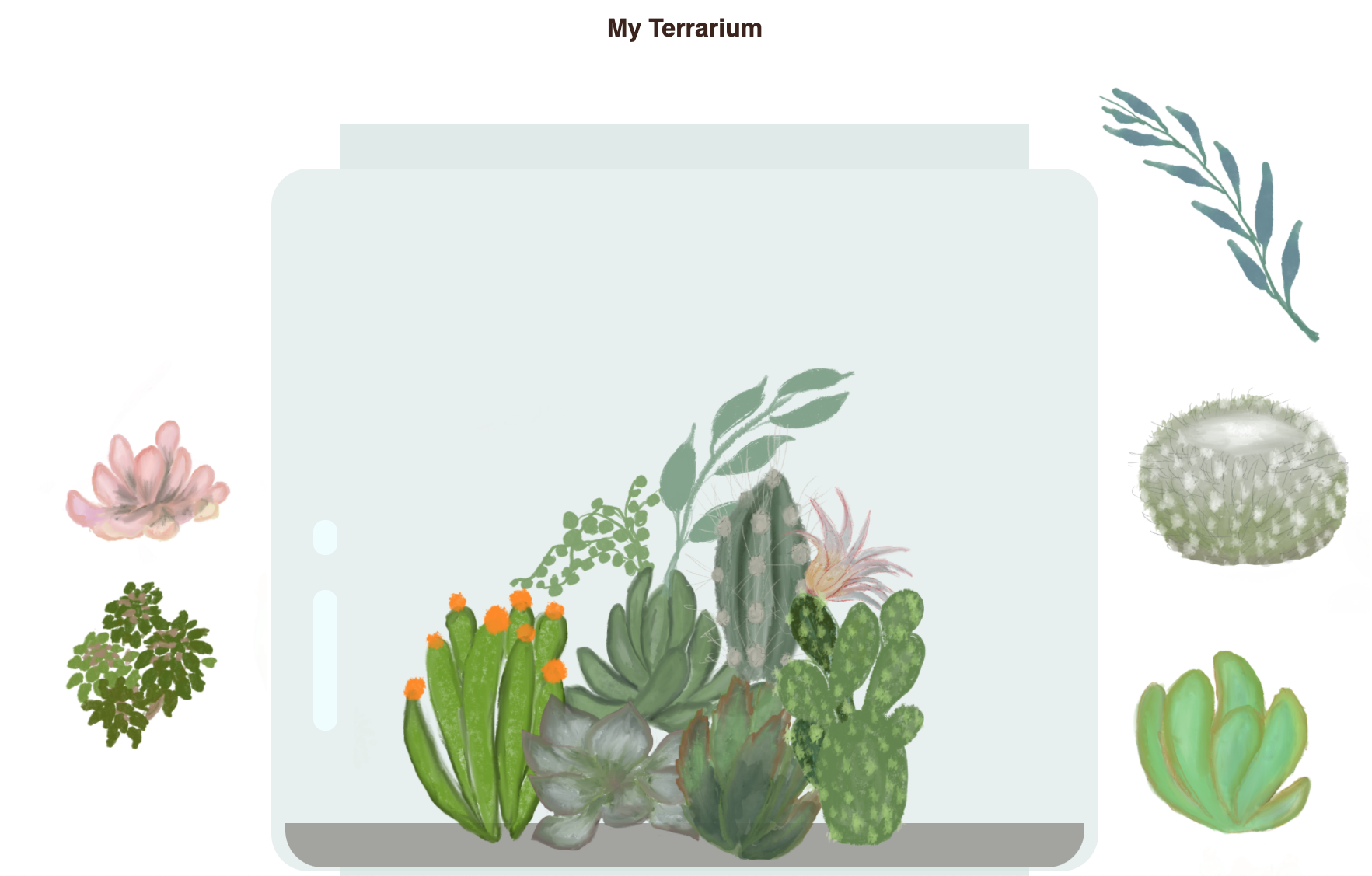
This is the gentlest starting point: no data, no network, just structure, style, and moving elements around with the mouse. Finishing it proves you can turn an idea into a real, interactive page.
Beginner tip: Build it in three passes — HTML structure, then CSS layout, then the JavaScript drag behavior. One layer at a time.
⌨️ Typing Game (JavaScript Events)
Goal: Time how fast you type a quote. Concepts practiced: keyboard events, the DOM, conditionals, timers. What you build: a live typing game that highlights your progress.

It's your first taste of a program reacting to the user in real time — every keystroke fires code that checks, scores, and updates the screen instantly.
Beginner tip: Start by just logging each key with a keydown listener. Once you can see the keys, the game logic follows.
🟢 Green Browser Extension (APIs + Local Storage)
Goal: Build a browser extension that calls an API.
Concepts practiced: forms, fetch, JSON, local storage, how browsers work.
What you build: an extension that shows data based on stored settings.
Building it shows you that the web skills you already have reach beyond ordinary web pages: the same HTML, CSS, and JavaScript can live right inside your browser's toolbar.
Beginner tip: Extensions are just HTML, CSS, and JS in a special folder with a manifest.json. If you can build a page, you can build one.
🚀 Space Game (Canvas + Game Loop)
Goal: Build a playable space shooter. Concepts practiced: the canvas, a game loop, objects, collision detection, scoring. What you build: ships, lasers, collisions, and a score.
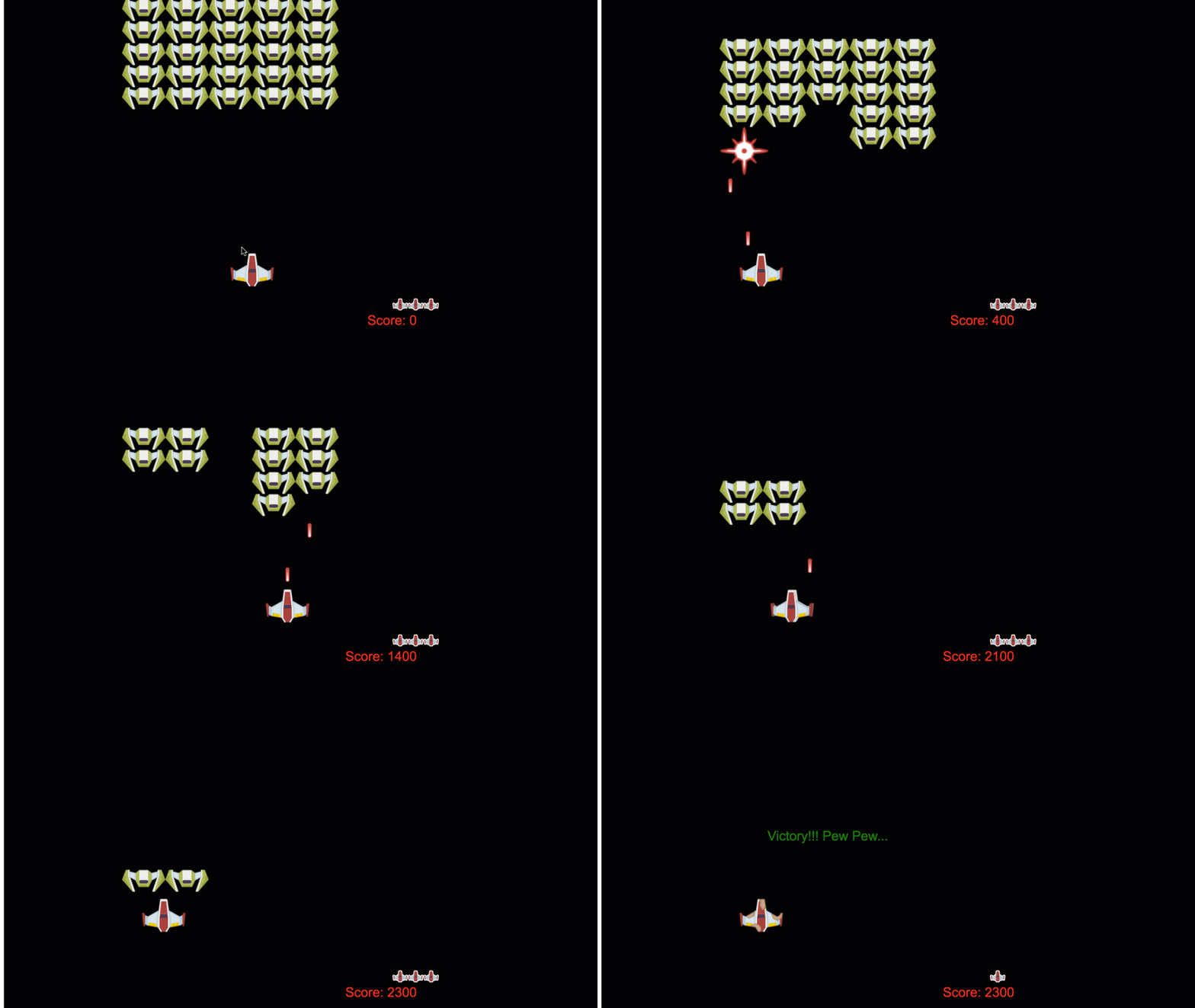
This is the most game-like project, and the most fun to show off. It stitches the canvas, a game loop, objects, and collision detection into something that genuinely plays.
Beginner tip: Ambitious — that's okay. Every game is just "update, then draw," repeated many times a second.
🏦 Banking App (Forms + Fetch + Routing + State)
Goal: Build a mini banking app with login and accounts.
Concepts practiced: forms, client-side routing, fetch, state management.
What you build: register/login pages and a dashboard showing account data.
By the time it works, you'll have used almost every skill in the course at once — forms, fetch, JSON, routing, and state — which is exactly what building a real application feels like.
Beginner tip: This ties everything together — the perfect "graduation" project for the course.
Real-world use case: The banking app mirrors how production web apps are structured — a login screen, protected pages behind it, data fetched from a server, and a single source of truth for state. Employers recognise this shape instantly.
🎁 Bonus Projects to Explore
Once the five core projects feel comfortable, these two push your skills in fresh directions:
- 🃏 Memory Game — a card-matching game reinforcing the DOM, events, and state.
- 💬 AI Chat Project — connect a web page to an AI model, bridging web dev and AI. (Pairs with the Gen AI and AI Agents for Beginners tracks.)
Practice task: Pick one project and finish it end-to-end, even a simple version. One completed project teaches more than five half-started ones — and gives you something real to be proud of.
Key Takeaway: Practice is where web dev clicks. Build the terrarium (HTML/CSS/DOM), typing game (events), browser extension (APIs/storage), space game (canvas), and banking app (forms/routing/state) — plus bonus memory and AI-chat projects. Finish one fully before moving on.
Further Learning
All projects adapted from Microsoft's Web Dev for Beginners (MIT License). Screenshots from the source curriculum.