"Arrays hold lists of things. Loops let you do something to every item — without writing the same line a hundred times."
Learning Objectives
By the end of this module, you will be able to:
- Create and read arrays
- Loop over items with
forandfor...of - Use handy array methods
- Group related data in objects
1. Arrays: Ordered Lists
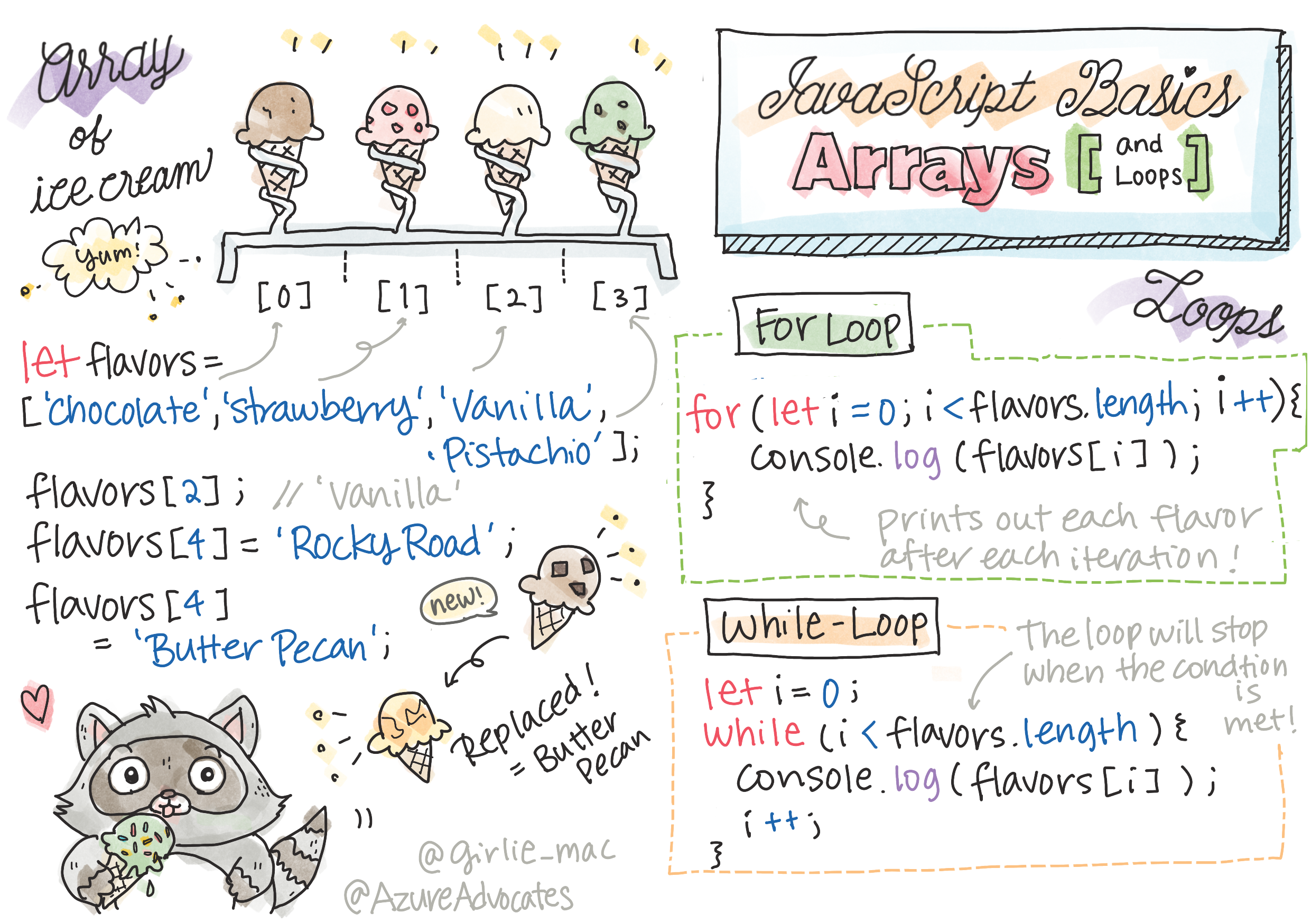
An array is an ordered list, counted from 0:
[object Object], fruits = [,[object Object],, ,[object Object],, ,[object Object],];
fruits[,[object Object],];        ,[object Object],
fruits.,[object Object],;    ,[object Object],
fruits.,[object Object],(,[object Object],);  ,[object Object],
Key idea: Array positions start at 0, not 1. So fruits[0] is the first item and fruits[fruits.length - 1] is the last. Off-by-one confusion here is a rite of passage — you'll get used to it fast.
You can read any item by its index in square brackets, and change one just by assigning to it: fruits[1] = "grape" swaps "pear" for "grape." A few everyday actions: push adds to the end, pop removes the last, unshift/shift do the same at the front. And fruits.length always tells you how many items are inside — handy for loops.
Explain like I'm new: An array is like a row of numbered lockers. The locker numbers start at 0 and never change, but you can open any locker to see or swap what's inside. .length just tells you how many lockers you've got.
2. Loops: Repeat Work
A loop runs code for each item so you don't repeat yourself:
[object Object], (,[object Object], fruit ,[object Object], fruits) {
  ,[object Object],.,[object Object],(fruit);      ,[object Object],
}
There's also the classic counting for loop and while (repeat until a condition fails) — but for...of is the friendliest for lists.
The classic for loop spells out three parts — start, condition, and step — giving you the index number as you go:
[object Object], (,[object Object], i = ,[object Object],; i < fruits.,[object Object],; i++) {
  ,[object Object],.,[object Object],(i, fruits[i]);   ,[object Object],
}
Use for...of when you just want each item, and the classic for when you also need the position number i.
3. Handy Array Methods
These let you transform lists without manual loops:
| Method | What it does |
|---|---|
forEach | Do something with each item |
map | Make a new array by transforming each item |
filter | Keep only items that pass a test |
includes | Check if an item is in the list |
[object Object], prices = [,[object Object],, ,[object Object],, ,[object Object],];
,[object Object], withTax = prices.,[object Object],(,[object Object], p * ,[object Object],);   ,[object Object],
The big idea: map, filter, and friends return a new array instead of changing the original — cleaner and less bug-prone. filter keeps items that pass a test; map transforms every item; forEach just runs an action. A quick filter:
[object Object], cheap = prices.,[object Object],(,[object Object], p < ,[object Object],); ,[object Object],Concept: These methods take a function as input — the p => p * 1.1 part. You're handing map a mini-instruction to run on each item. That's arrow functions (Module 9) doing real work.
Real-world use case: A shopping site uses these constantly — filter to show only in-stock items, map to turn product data into on-screen cards, includes to check if something's already in your cart.
4. Objects: Named Data
Where arrays use positions, objects use names (keys):
[object Object], user = { ,[object Object],: ,[object Object],, ,[object Object],: ,[object Object], };
user.,[object Object],;   ,[object Object],
Arrays and objects combine constantly — like an array of user objects.
You reach into an object with a dot and the key name:
[object Object], users = [
  { ,[object Object],: ,[object Object],, ,[object Object],: ,[object Object], },
  { ,[object Object],: ,[object Object],, ,[object Object],: ,[object Object], }
];
users[,[object Object],].,[object Object],;   ,[object Object],
That combination — a list of objects — is exactly how apps hold things like a feed of posts, a cart of products, or a table of users.
Common mistake: Using a positional index on an object (user[0]) — that's array thinking. Objects are accessed by name (user.name or user["name"]), not by number.
Practice task: Make an array of your five favorite movies, then use a loop to print each one numbered (1, 2, 3…). Bonus: use filter to keep only titles longer than 10 characters.
Key Takeaway: Arrays are ordered lists counted from 0; loop over them with for...of. Powerful methods — map (transform), filter (select), forEach (act), includes (check) — replace manual loops. Objects store named data, and arrays of objects are the backbone of real app data.
Further Learning
Adapted from Microsoft's Web Dev for Beginners (MIT License). Sketchnote by Tomomi Imura.