"azd isn't just for web apps. It can provision an Azure OpenAI model and wire it into your app — so 'add AI' becomes part of
azd up."
Level: Beginner · Time: ~2 days · Prerequisites: Modules 7, 11
Learning Objectives
By the end of this module, you will be able to:
- Provision AI model deployments with azd
- Understand Azure OpenAI / Microsoft Foundry basics
- Connect your app to a deployed model securely
- Recognize AI-specific template patterns
1. AI as Infrastructure
Adding AI to an app used to mean manual portal setup: create an Azure OpenAI resource, deploy a model, copy keys, then paste them into your app's settings and hope you never lose them. That works once, but it isn't repeatable — a teammate spinning up their own copy has to click through the same steps and can easily miss one. With azd, the AI model becomes part of your infrastructure as code — the Bicep declares it, and azd up provisions it alongside your app, identically, every time.
Concept: To azd, an AI model deployment is just another Azure resource. Declare it in Bicep and it's created, connected, and ready when your app comes up.
2. Azure OpenAI & Microsoft Foundry
Azure OpenAI hosts models like GPT for chat and text-embedding models for search. Microsoft Foundry is the broader platform for building, deploying, and managing AI projects and agents on Azure. azd templates can provision a Foundry project and model deployments for you. A single app often uses more than one model — a chat model to answer users and an embeddings model to turn documents into searchable vectors — and both are just deployments the template declares side by side.
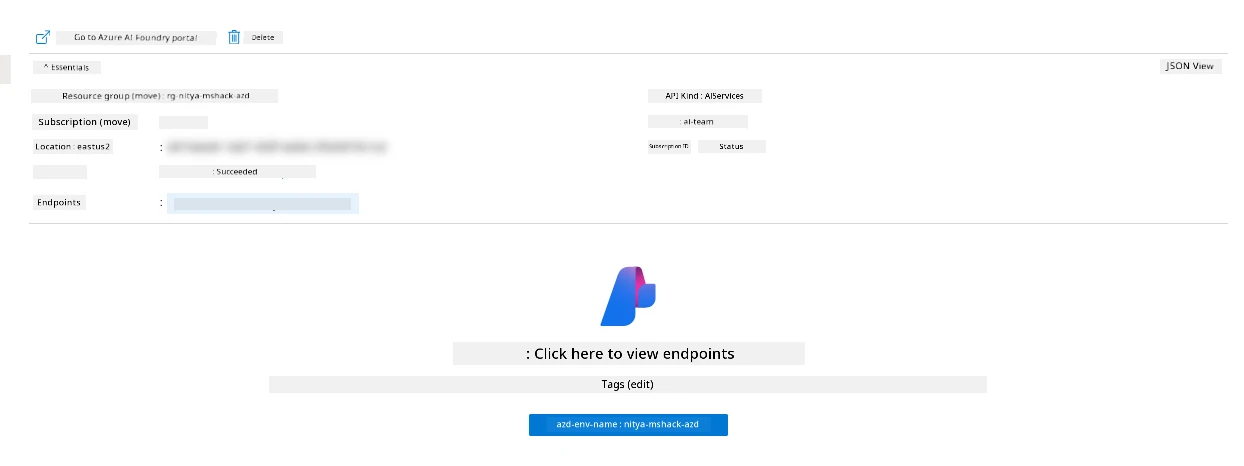
Explain like I'm new: Azure OpenAI is the "engine" (the model); Foundry is the "garage" where you set up, tune, and manage your AI project. azd builds both from your template.
3. Declaring a Model Deployment
In Bicep, a chat model deployment looks roughly like:
resource gpt 'Microsoft.CognitiveServices/accounts/deployments@2024-10-01' = {
  parent: aoai
  name: 'gpt-4o-mini'
  sku: { name: 'Standard', capacity: 10 }
  properties: { model: { format: 'OpenAI', name: 'gpt-4o-mini', version: '2024-07-18' } }
}
azd provision creates it; azd then exposes its endpoint to your app as an environment variable. The name (gpt-4o-mini) is the deployment name your code will call — it can differ from the underlying model — while version pins the exact model build, so a silent upgrade never changes your app's behavior overnight.
Try this: Notice the capacity value — that's your model's throughput quota. Getting it right is a real planning task, covered in Module 15.
4. Connecting Securely
Your app needs to call the model — but not with a leaked key. Following Module 11, use a managed identity granted access to the Azure OpenAI resource, and read the endpoint from an environment variable azd injects:
AZURE_OPENAI_ENDPOINT ← injected by azd after provisioningCommon mistake: Hard-coding the Azure OpenAI key in your app. Prefer a managed identity (no key at all) or Key Vault. azd templates typically set this up for you.
5. It All Comes Up Together
The payoff: one azd up provisions the model, your app, and the secure connection between them, then deploys your code. Your AI app is live end-to-end — no portal clicking, fully repeatable.
Real-world use case: A "chat over your docs" template azd ups into a Container App, an Azure OpenAI chat model, an embeddings model, and a managed identity linking them — a complete RAG app provisioned and deployed by a single command.
✅ Checkpoint
- How does azd treat an AI model deployment?
- What's the difference between Azure OpenAI and Microsoft Foundry?
- How should your app authenticate to the model?
Answers: 1) As another Azure resource declared in Bicep and provisioned by azd up. 2) Azure OpenAI hosts the models (the engine); Foundry is the platform for building/managing AI projects (the garage). 3) With a managed identity (no stored key) or a secret from Key Vault, using the endpoint azd injects.
Key Takeaway: azd makes AI part of your infrastructure as code: Bicep declares an Azure OpenAI model deployment (on Microsoft Foundry), azd provision creates it, and azd injects its endpoint into your app. Connect securely with a managed identity rather than a hard-coded key, and one azd up brings the model, the app, and their secure link online together.
Further Learning
Part of "AZD for Beginners." Adapted from Microsoft's open AZD curriculum (MIT License).