"An AI model only knows what it was trained on. RAG lets it answer from your documents — the ones it has never seen."
Level: Beginner · Time: ~2 days · Prerequisites: Modules 4–7
Learning Objectives
By the end of this module, you will be able to:
- Explain what RAG is and the problem it solves
- Describe the four stages of a RAG pipeline
- Recognize when RAG is the right tool
- Understand why RAG reduces "hallucinations"
1. The Problem RAG Solves
A language model is frozen at training time. It doesn't know your company's refund policy, last week's meeting notes, or your product manual. Ask it, and it will either admit ignorance or — worse — make something up (a "hallucination").
RAG (Retrieval-Augmented Generation) fixes this: before answering, the app retrieves relevant text from your documents and hands it to the model as reference. The model answers from that context instead of guessing.
The word "augmented" is the key: you're not changing the model, you're augmenting its prompt with facts it can quote from. Everything else about the model stays the same — it just has the right page open in front of it.
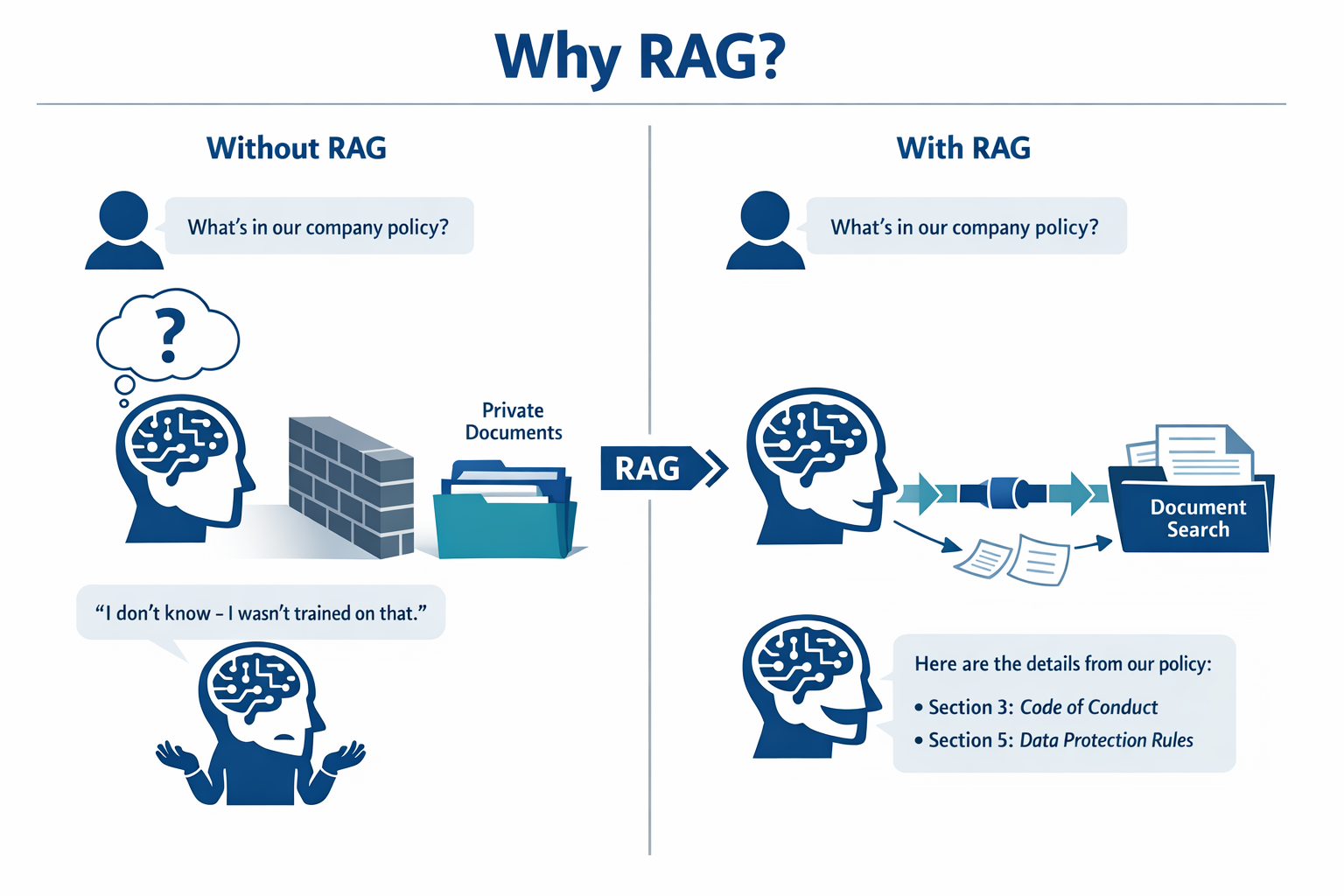
Explain like I'm new: A plain model is a student answering from memory. RAG is an open-book exam — the student first looks up the exact page, then answers. Same student, far more accurate.
2. The Four Stages
RAG has two flows that meet at a shared search index. Ingestion happens once; querying happens on every question.
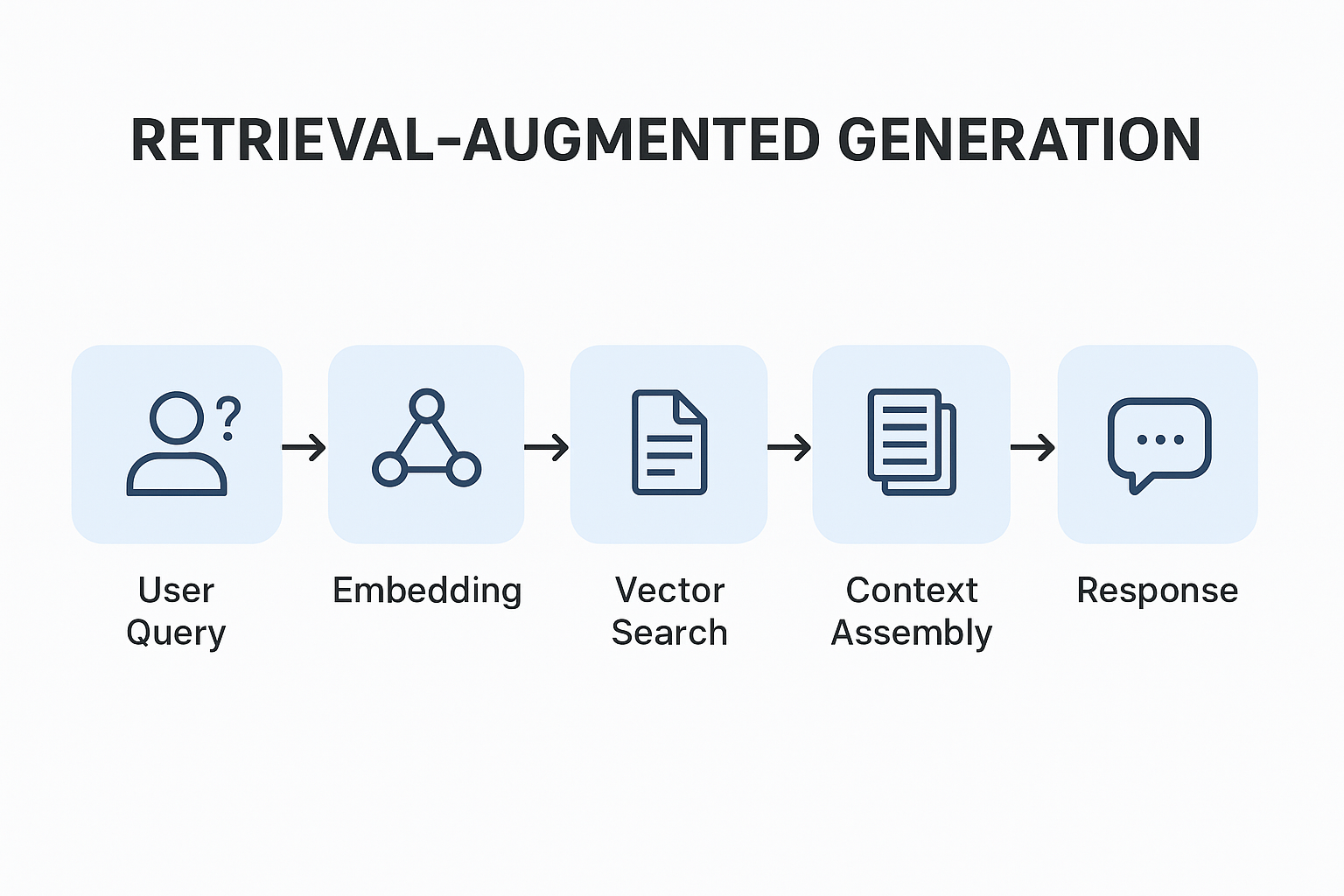
The pipeline has four stages:
- Ingest — read your documents (PDF, text, etc.).
- Transform — split them into small chunks and convert each into an embedding (numbers that capture meaning).
- Store & Search — save embeddings in a vector store; at query time, find the chunks most similar to the question.
- Generate — put those chunks into the prompt and let the model answer from them.
Notice the split: ingestion (stages 1–2, plus storing) is prep work you do once when documents arrive; querying (search + generate) runs every time someone asks a question. Keeping them separate is why RAG scales — you embed a 200-page manual once, then answer thousands of questions cheaply.
Concept: The model's job in RAG is narrow: "answer this question using only this text." That constraint is exactly what prevents hallucination — it can't invent facts that aren't in front of it.
3. When to Use RAG
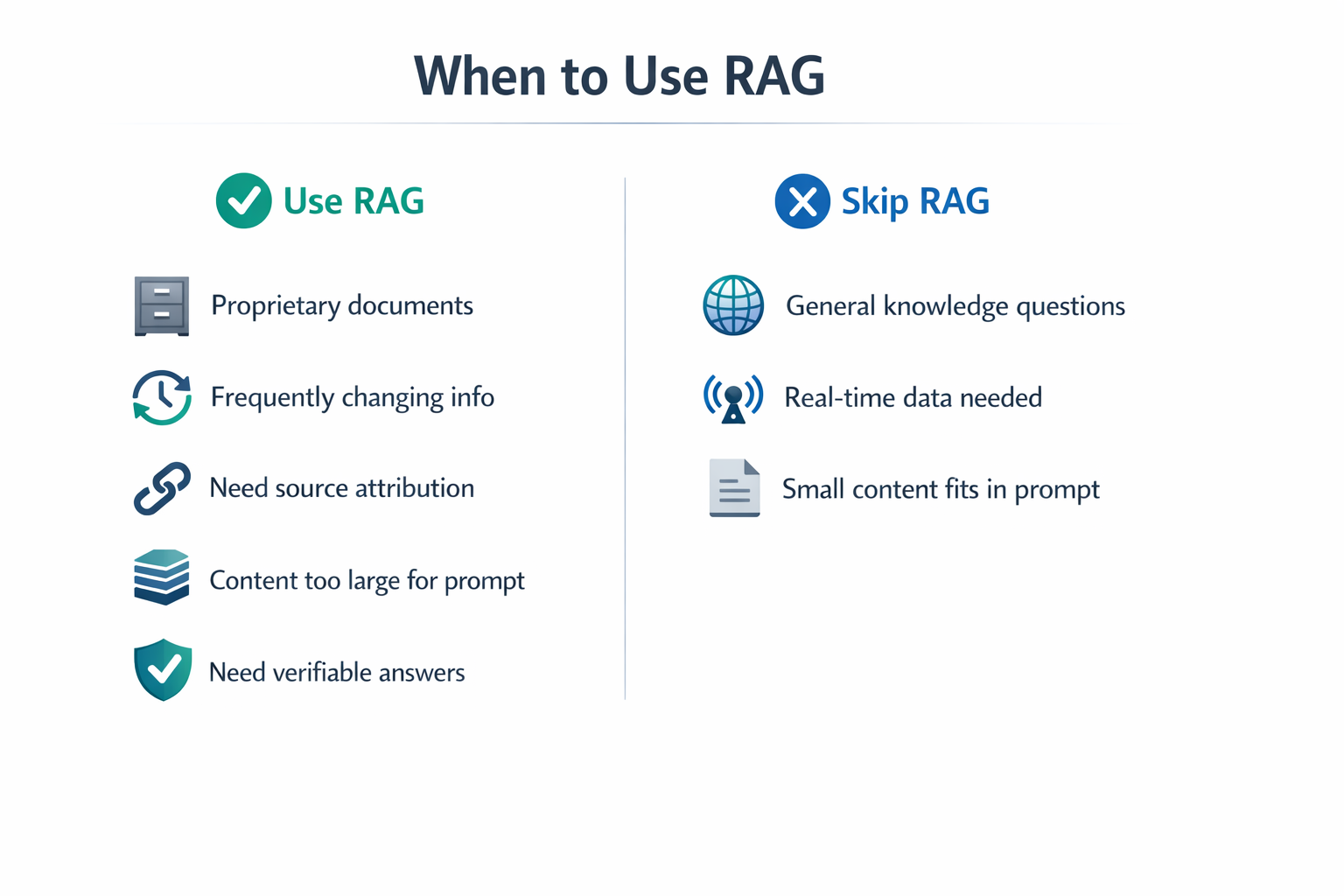
RAG shines whenever the answer lives in content the model wasn't trained on:
| Great fit for RAG | Not needed |
|---|---|
| Company handbooks, policies | General knowledge ("capital of France") |
| Product manuals, docs | Creative writing |
| Support knowledge bases | Simple math or formatting |
| Personal notes, PDFs | Chit-chat |
Real-world use case: A company drops its 200-page employee handbook into a RAG app. Now staff ask "How many vacation days do I get after 3 years?" and get an accurate, cited answer in seconds — no HR ticket, no hallucination.
4. Why It Beats Just "Asking the Model"
You could paste an entire document into every prompt — but big documents blow past the token limit and cost a fortune. RAG sends only the handful of chunks that actually matter for this question. It's cheaper, faster, and scales to thousands of documents.
Explain like I'm new: Pasting a whole manual into every prompt is like mailing someone the entire encyclopedia to answer one trivia question. RAG mails just the paragraph that holds the answer — far cheaper, and the reader isn't buried in irrelevant pages.
Common mistake: Believing RAG makes the model "learn" your data permanently. It doesn't — nothing is retrained. RAG simply retrieves and shows the right text at question time. Update a document and the next answer reflects it instantly.
✅ Checkpoint
- What does RAG stand for, and what problem does it solve?
- Name the four stages of a RAG pipeline.
- Why does RAG reduce hallucinations?
Answers: 1) Retrieval-Augmented Generation — it lets a model answer from your documents instead of guessing. 2) Ingest, Transform, Store & Search, Generate. 3) The model answers using only the retrieved context, so it can't invent facts.
Key Takeaway: RAG gives a frozen model fresh, private knowledge by retrieving relevant text from your documents and feeding it into the prompt. Its four stages — ingest, transform (chunk + embed), store & search, and generate — turn "answer from memory" into "answer from the book." The result is accurate, up-to-date, grounded answers that don't require retraining the model.
Further Learning
Part of "Spring AI for Beginners." Adapted from Microsoft's open Spring AI curriculum (MIT License).