"Infrastructure is the stage; your app is the performance.
azd deployputs your code on that stage — fast, repeatably, and without downtime."
Level: Beginner · Time: ~2 days · Prerequisites: Module 7
Learning Objectives
By the end of this module, you will be able to:
- Explain what happens during
azd deploy - Deploy to hosts like Container Apps and App Service
- Redeploy a single service
- Understand packaging and build steps
1. What azd deploy Does
Once resources exist (Module 7), deploying your code is:
azd deployazd packages each service (builds a container image or zips the app), uploads it, and tells the Azure host to run the new version. It reads azure.yaml to know which service goes where, and it knows which resources to target because provisioning recorded that mapping — deploy simply reads it and updates those resources in place.
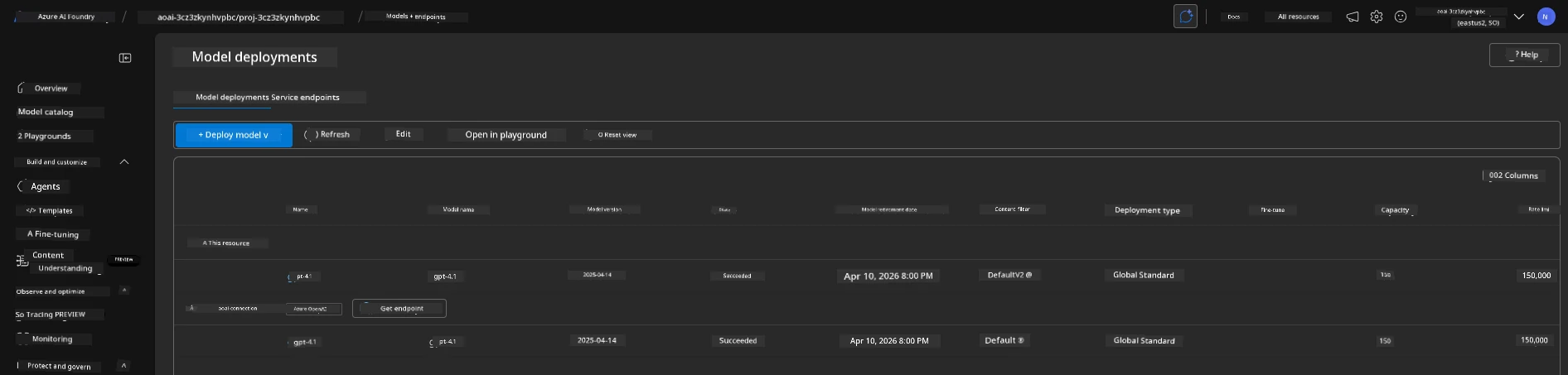
Concept: deploy is only about your code. The infrastructure is already there from provision — deploy just refreshes what's running on it, which is why it's quick.
2. Packaging: Container or Zip
How azd packages depends on the host:
- Container hosts (Container Apps, AKS): azd builds a Docker image from your
Dockerfileand pushes it to a registry. - App Service / Functions: azd zips your app and uploads it directly.
For container hosts the image lands in Azure Container Registry, a private store the host pulls from when it starts the new version. The registry also keeps previous images, which is exactly what makes rolling back to an earlier build straightforward.
Explain like I'm new: Packaging is boxing up your app for shipping. A container is a sturdy, self-contained crate; a zip is a lighter parcel. azd picks the right box for the destination.
3. Deploying One Service
Real apps have several services (a frontend, an API, a worker). You can deploy just one instead of all:
azd deploy webThis redeploys only the web service — handy when you've changed one part and don't want to touch the rest. Selective deploys keep releases small and fast: a one-line fix to the API won't risk the frontend or restart the worker.
Try this: In a multi-service template, change one service and run azd deploy <that-service>. Watch how azd updates only what you changed, leaving the others untouched and running.
4. up vs provision vs deploy
Three commands, one clear division of labor:
| Command | Touches infrastructure? | Touches code? |
|---|---|---|
azd provision | ✅ | ❌ |
azd deploy | ❌ | ✅ |
azd up | ✅ | ✅ |
Use deploy for everyday code changes; reach for provision only when your resources change.
Common mistake: Running the full azd up for every tiny code tweak. It re-checks all infrastructure and is slower. For code-only changes, azd deploy is the fast, correct choice.
5. Consistent, Repeatable Releases
Because deployment is scripted and driven by your config, every release is consistent — no hand-copied files, no forgotten steps. Many hosts also swap in the new version without dropping traffic, so users don't see downtime during a routine deploy. And because the whole package-upload-activate cycle is scripted, the same azd deploy runs on your laptop and, later, unattended in your automated pipeline (Module 14 of the MLOps track, and azd's own pipeline config).
Real-world use case: A team ships updates several times a day. Each is a single azd deploy that packages, uploads, and swaps in the new version the same way every time — reliable enough that deploying stops being scary.
✅ Checkpoint
- What three steps does
azd deployperform? - How does packaging differ between a container host and App Service?
- When should you use
azd deployinstead ofazd up?
Answers: 1) Packages the service, uploads it, and tells the host to run the new version. 2) Container hosts build and push a Docker image; App Service zips and uploads the app. 3) For code-only changes, since deploy skips the infrastructure step and is faster.
Key Takeaway: azd deploy ships your code onto already-provisioned infrastructure — it packages each service (a Docker image for container hosts, a zip for App Service), uploads it, and runs the new version, all guided by azure.yaml. You can deploy a single service by name, and for everyday code changes deploy is faster than the full up. Scripted deployment means every release is consistent and repeatable.
Further Learning
Part of "AZD for Beginners." Adapted from Microsoft's open AZD curriculum (MIT License).